
easy-work.life
Czas pracy zespołu, grafiki i zapisy rozliczeń. Faktury firmy, zamówienia dostawców i dokumenty księgowe. Jeden panel w przeglądarce, z oddzielnym dostępem dla każdej roli.
Zacznij od bezpłatnego okresu próbnego. Dokładną datę zakończenia znajdziesz na swoim koncie.
Dla właściciela firmy
Dlaczego firmy wybierają easy-work.life
Mniej papierów, więcej kontroli. Wszystkie informacje o zespole zawsze pod ręką.
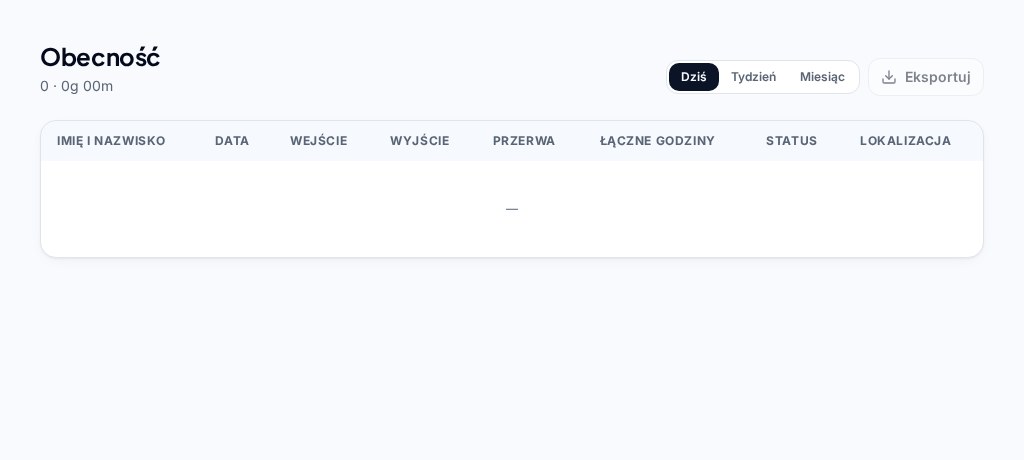
Obecność, którą możesz sprawdzić
Wejścia, wyjścia i przerwy w jednym miejscu. Wymagane GPS i automatyczne selfie zależą od ustawień Twojej firmy.
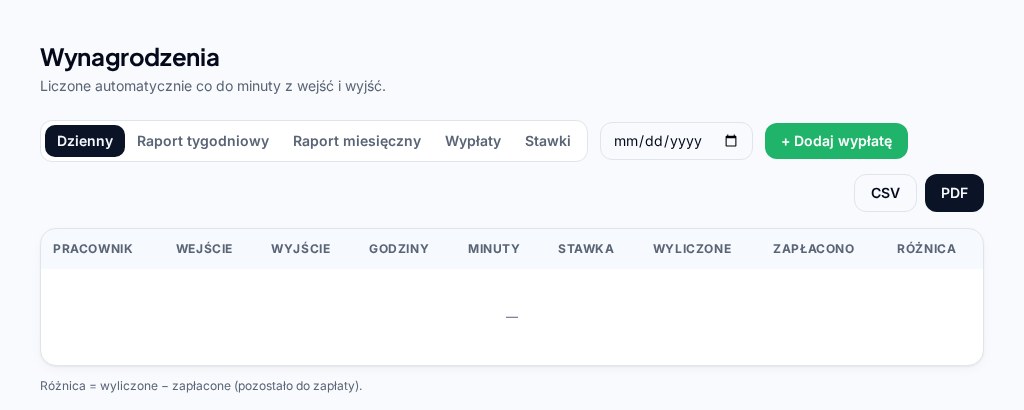
Przejrzyste wynagrodzenia i wypłaty
Rzeczywisty czas po odjęciu przerw × stawka pracownika. Porównuj naliczone kwoty, zapisane wypłaty i pozostałe saldo. System nie wykonuje przelewów.
Plan oddzielony od rzeczywistości
Cykliczne szablony tygodniowe oraz zmiany z datami w grafiku tygodniowym lub miesięcznym. Plan a wykonanie porównuje zapisany plan z obecnością.
Raporty za wybrany okres
Wybierz daty, pracownika lub dział. Eksportuj wybrane zapisy do CSV lub PDF z brandingiem do kontroli i rozliczeń.
Faktury, dostawcy i zamówienia
Sprawdzaj dane faktur z oryginałami, prowadź listę dostawców i przygotowuj paczki dla księgowego. Zatwierdzone pozycje trafiają do katalogu; kiosk nie pokazuje cen. Wydatki nie zmieniają wypłat pracowników.
Dostęp dopasowany do roli
Właściciele i uprawnieni administratorzy zarządzają firmą; pracownicy używają osobistych kodów. Osobny kiosk księgowego wymaga NIP-u i czterocyfrowego kodu właściciela; udostępnia dokumenty tylko do odczytu za wskazany okres.
Jak to działa
Cztery proste kroki
- 01
Ustaw firmę i zespół
Utwórz konto właściciela z e-mailem, nazwą użytkownika i adresem firmy. Dodaj NIP, aby logować się nim lub e-mailem z tym samym hasłem. Dodaj pracowników i stawki.
- 02
Otwórz kiosk pracownika
Udostępnij link kiosku swojej firmy. Pracownicy podają swoje kody na telefonie lub wspólnym tablecie; wymagania selfie i GPS zależą od ustawień.
- 03
Czas liczy się automatycznie
Wejścia i wyjścia zapisują dokładny czas; przerwy są odejmowane od czasu pracy.
- 04
Sprawdzaj i rozliczaj
Porównuj obecność z grafikiem, zapisuj wypłaty i eksportuj raporty.
Przykładowa firma
Dzień z zespołem Adela
Adel prowadzi kawiarnię. Anna, Piotr i Katarzyna rejestrują czas pracy, korzystają z grafiku i zamawiają produkty od różnych dostawców. Adel sprawdza zapisy w panelu właściciela.
Osoby, firma i wartości są fikcyjne i służą wyłącznie jako przykład. To nie są dane klienta ani jego opinia.
Adel · Właściciel
Ustawienia firmy, stawki, wypłaty i raporty
Anna Kowalska · Baristka
Obecność i przerwy w kiosku
Piotr Nowak · Kucharz
Zamawianie ilości produktów według dostawcy
Katarzyna Wiśniewska · Pracownica zmianowa
Zaplanowane zmiany i zapisany czas pracy
Kiosk pracownika
Czas pracy i zdjęcia faktur — krok po kroku
Rzeczywiste ekrany kiosku z fikcyjnymi danymi przykładowymi: Anna Kowalska i kawiarnia Adela. Bez prawdziwych kodów pracowników ani dokumentów klientów.
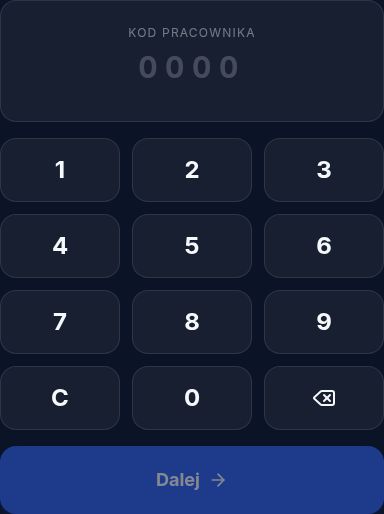
Zrzut aplikacji · fikcyjny przykład 1. Zarejestruj czas pracy
Otwórz firmowy kiosk przygotowany przez właściciela. Wpisz osobisty kod lub wybierz swoje imię i potwierdź kod. Wybierz rozpoczęcie pracy, przerwę lub zakończenie. Selfie i GPS zależą od ustawień firmy; poczekaj na potwierdzenie zapisu.
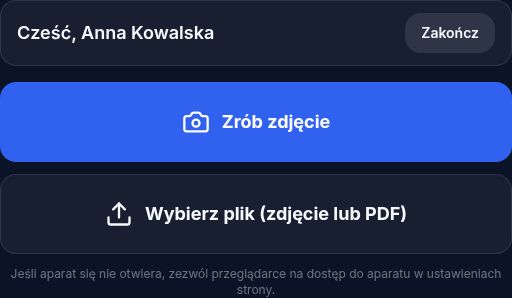
Zrzut aplikacji · fikcyjny przykład 2. Zrób zdjęcie lub dodaj fakturę
Otwórz Faktury → Skanuj fakturę i potwierdź swój kod. Wybierz Zrób zdjęcie lub plik zdjęcia/PDF do 10 MB. Pokaż cały dokument, zadbaj o równe oświetlenie i unikaj cieni. Skanowanie faktury jest niezależne od obecności.
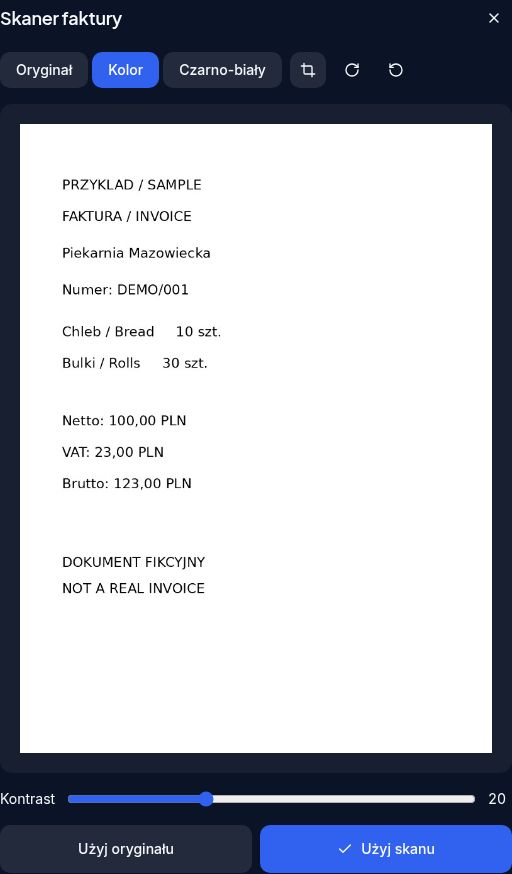
Zrzut aplikacji · fikcyjny przykład 3. Popraw, sprawdź i wyślij
Ustaw cztery narożniki, aby przyciąć i wyprostować zdjęcie. Obróć je, wybierz kolor lub czerń i biel oraz popraw kontrast. Wybierz Użyj skanu, sprawdź podgląd i naciśnij Wyślij fakturę. Właściciel weryfikuje dokument i odczytane dane; pliki PDF przechodzą od razu do podglądu.
Zapis wymaga internetu. Zezwól na aparat i lokalizację, gdy pojawi się prośba. Poczekaj na potwierdzenie obecności lub wysłania faktury; samo zrobienie zdjęcia nie wysyła dokumentu.
Najważniejsze funkcje
Grafik, wynagrodzenia i raporty
Grafik pracy
Tworzysz grafik tygodniowy lub miesięczny, ustawiasz godziny rozpoczęcia, zakończenia i przerwy. Suma godzin liczy się sama.
- Widok tygodniowy i miesięczny
- Kopiowanie grafiku między pracownikami
- Udostępnianie tekstu; osobny eksport PDF
Wynagrodzenia
Zarejestrowany czas × stawka godzinowa = wynagrodzenie. Zapisujesz wypłaty i widzisz, ile zostało do zapłaty.
Przykładowe wartości
Raporty
Przeglądasz godziny pracy, obecność, wynagrodzenia i wypłaty za dzień, tydzień lub miesiąc.
- Wynagrodzenia dzienne, tygodniowe i miesięczne
- Plan a rzeczywisty czas pracy
- Obecność z GPS, CSV i PDF
W aplikacji
Od zmiany do dokumentów firmy
Rzeczywiste ekrany aplikacji, z ukrytymi prywatnymi danymi konta. Przykłady powyżej są od nich niezależne.
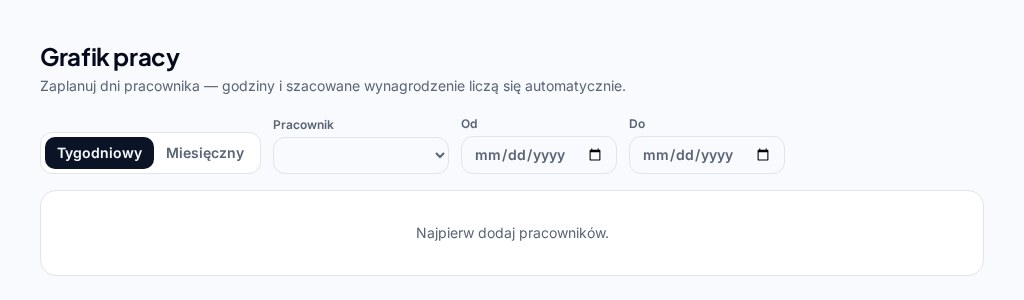
Planuj zmiany. Porównuj wykonanie.
Szablony tygodniowe, zmiany z datami, dni wolne i zapisane nieobecności porządkują plan. Obecność pozostaje źródłem rzeczywistego czasu pracy; zalogowani właściciele i administratorzy mogą korzystać z alertów spóźnień i zakończenia pracy.
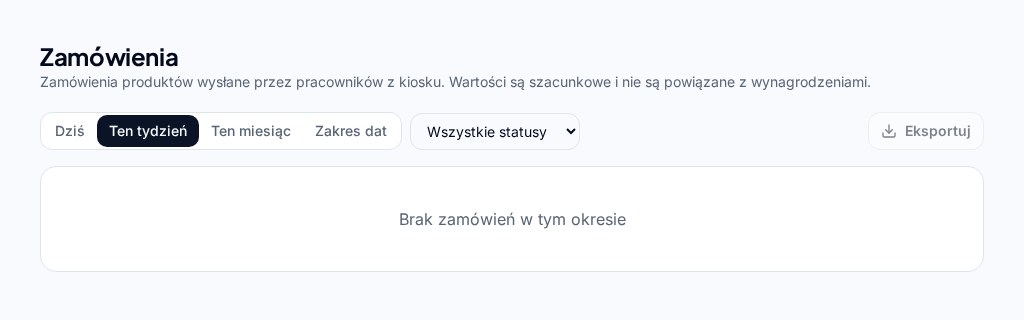
Produkty każdego dostawcy osobno.
Pracownik wybiera kategorię → dostawcę → produkty i sprawdza wspólny koszyk przed wysłaniem. Właściciel widzi grupy dostawców, ceny, statusy zamówień i raporty. Zamówienia nie dokonują automatycznie zakupów ani przelewów.
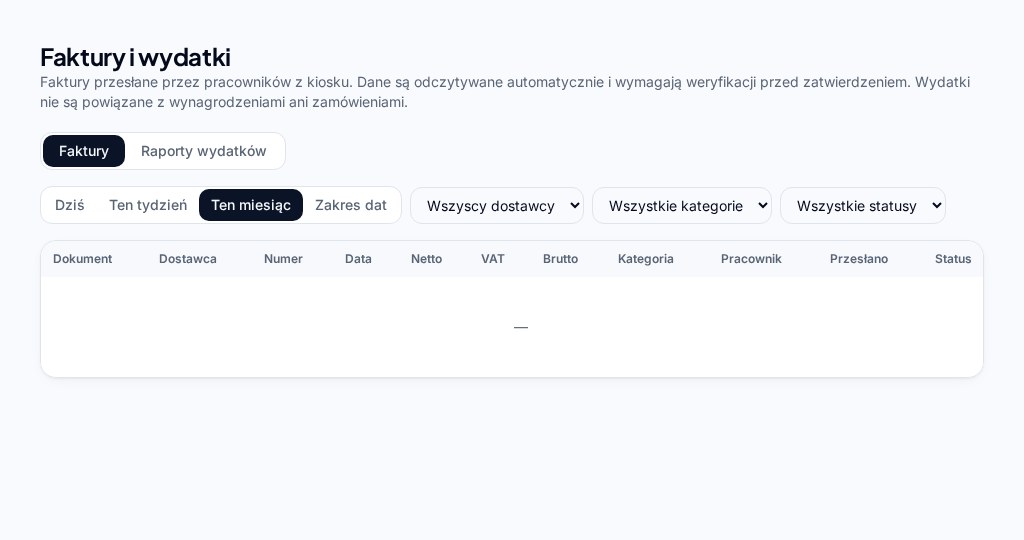
Faktury i księgowość
Zbieraj, sprawdzaj i udostępniaj dokumenty.
- Zrób zdjęcie faktury w kiosku pracownika, popraw narożniki, perspektywę i filtry lub dodaj JPG, PNG albo PDF do 10 MB. Sprawdź odczyt z oryginałem; OCR może pominąć pola.
- Prowadź dostawców, kategorie, daty i zapisy płatności. Nowe faktury są domyślnie opłacone; tylko właściciel zmienia status płatności. Oznaczenie nie potwierdza przelewu, a statusy istniejących faktur są zachowane.
- Zatwierdź sprawdzone pozycje faktury, aby zaktualizować katalog produktów firmy. Ilość zakupu nie jest stanem magazynu. Odrzucone faktury i duplikaty nie wchodzą do sum wydatków; wydatki nie zmieniają wynagrodzeń.
- Przygotuj CSV, PDF z brandingiem i paczki dokumentów ZIP. Kiosk księgowego wymaga NIP-u i czterocyfrowego kodu: tylko odczyt, właściwa firma i wskazany okres, bez pracowników, obecności i wynagrodzeń.
Aplikacja w przeglądarce
Telefon, tablet lub komputer
Korzystaj z adresu HTTPS w aktualnej wersji Chrome, Safari, Edge lub Firefox. Instalacja nie jest wymagana. Zapis obecności wymaga internetu i odpowiednich uprawnień urządzenia.
Aparat i GPS przy obecności zależą od ustawień firmy. Fotografowanie faktury również wymaga dostępu do aparatu.
Zacznij korzystać z easy-work.life już dziś.
Dokładną datę końca okresu próbnego znajdziesz na koncie. Płatności subskrypcyjne są obecnie wyłącznie testowe; ta strona nie przedstawia oferty cenowej płatności produkcyjnych.
Zacznij za darmoKontakt i pomoc
Napisz do nas
Masz pytanie, problem techniczny albo sprawę związaną z płatnościami? Wyślij wiadomość przez formularz — trafi bezpośrednio do naszego zespołu pomocy. Odpowiemy na podany adres e-mail.
Wolisz e-mail? Obsługa klienta: kontakteasywork@yahoo.com
Zanim napiszesz, odpowiedź może być w Pomocy lub w kompletnym przewodniku.